7 Places to Share Your Booking Link Right Now


Setting up a booking page is one thing. Getting people to use it is another.
You might have a perfectly good booking link, but if the only place it appears is in your browser history, it isn't doing much for your business.
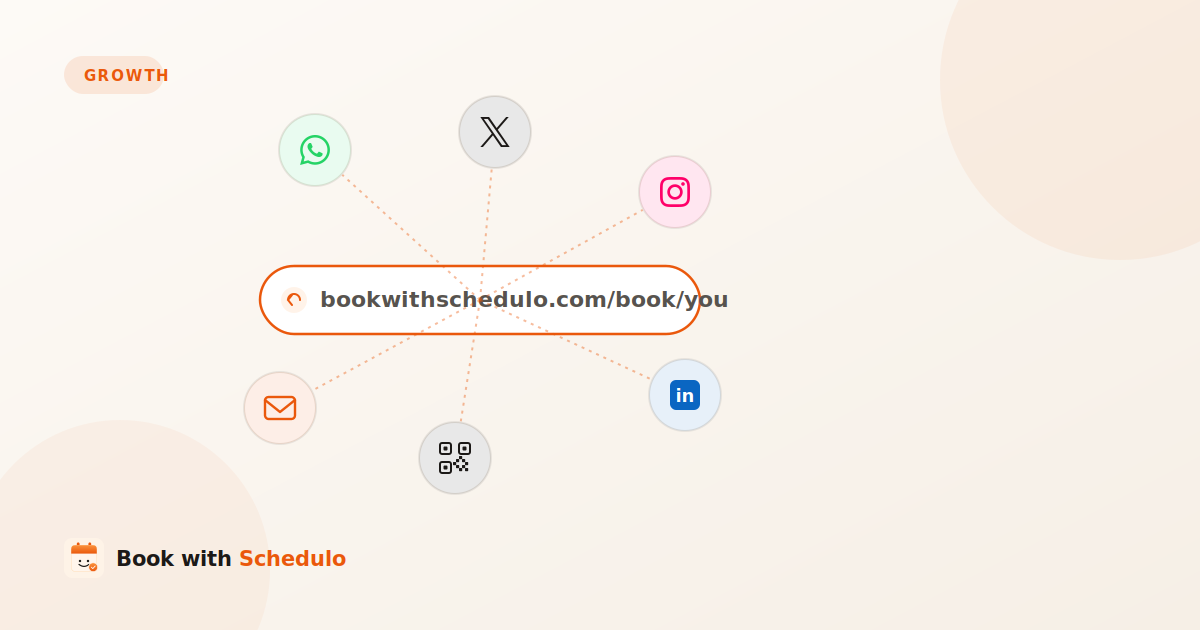
The useful question is not how many places you can paste the link. It's where people are most likely to see it when they're ready to arrange a meeting.
A consultant might need a booking link in a proposal. A freelancer may want clients to book a follow-up after a project. A sales professional might use LinkedIn to turn an interested prospect into a scheduled conversation.
The same booking page can serve all three. What changes is where you share it and what you say around it.
Here are seven places to start.
1. Your email signature
Your email signature is a good starting point because it goes out with messages you already send.
Someone might email you with a question, ask about a project, or suggest a conversation. Instead of exchanging several messages to find a suitable time, they can choose to book directly.
Keep the wording relevant to the appointment.
For example:
Book an introductory call
or
Schedule a consultation
Link that text to the booking page you want people to use. Avoid making the signature too crowded with several different booking options.
The signature is particularly useful for professionals who regularly speak with clients, prospects or partners by email.
For detailed Gmail and Outlook instructions, see How to Add a Booking Link to Your Email Signature.
2. Your LinkedIn profile
LinkedIn can be useful when potential clients or business contacts are already looking at your professional background.
If you use LinkedIn to attract consulting work, agency clients or sales conversations, give interested people a clear next step.
You could place your booking link in an appropriate profile link area, your About section, or a featured post that explains what kind of conversation people can schedule. The exact placement depends on your profile setup and the options currently available to your account.
The wording should match the purpose of the call.
A consultant might write:
Working through a business challenge? Book an introductory call to discuss it.
A freelancer might use:
Have a project in mind? Let's arrange a conversation.
The booking link should support what your profile already says about your work. It shouldn't feel like an unrelated sales message dropped into the page.
You also don't need to put the link in every LinkedIn post. Use it when it is a natural next step, such as after explaining a service or responding to someone who has expressed interest.
3. Your WhatsApp or Instagram bio
A social profile often gives visitors only a small amount of space to decide what to do next.
For a business that takes appointments, a direct booking link can be more useful than sending every visitor to a homepage where they still have to look for the right action.
On a WhatsApp Business profile, you can give customers a straightforward route to the booking page. On Instagram, the profile link can serve the same purpose for people discovering your work there.
Think about which appointment the person is most likely to need.
If your main audience is new prospects, an introductory call may make sense. If people already know your services, a link to the relevant consultation or appointment may be more useful.
One practical detail: open the link from another phone or account and test it as a customer would. A link that works for you while logged in isn't enough evidence that the entire booking process is working smoothly.
Use the shortest clear call to action you can:
Book an appointment
Schedule a consultation
Choose a time to talk
People should know what happens when they tap.
4. Your proposals, quotes and pitches
A proposal is often a good place to share a booking link because the other person already has some context about your offer.
They may want to clarify the scope, discuss a recommendation, or ask questions before moving forward.
Rather than ending the proposal with only your email address, give them a direct next step:
Have questions about the proposal? Choose a time for a call.
The link should lead to the type of meeting that makes sense for that conversation. A short discussion about a proposal may not need the same duration or setup as a detailed consulting session.
You can use the same principle in follow-up emails:
I'm happy to go through the options with you. You can choose a suitable time here: [booking link].
This leaves the decision with the prospect. They can book when they are ready without having to ask you to send available times.
It is also useful after a prospect has expressed interest but hasn't yet settled on a meeting time. The link provides a clear next step without another round of calendar negotiation.
5. Invoices and follow-up messages to existing clients
Booking links are not only for finding new customers.
Existing clients may need regular check-ins, follow-up consultations, project reviews or another appointment after a completed service. You can make that next step easier by sharing the relevant link when it makes sense.
For example, a freelancer finishing a project might write:
Would you like to review the next steps together? You can book a follow-up here.
If your invoices include a footer, a short booking link can also be useful for customers who regularly return for appointments.
Keep the context in mind. An invoice doesn't need to become a promotional message if there is no obvious reason to book another meeting. The link is most useful when the next appointment is a natural part of the service.
For recurring client work, consider whether a dedicated follow-up booking type would make the process clearer than sending clients to a general consultation page.
6. Your website and contact page
Your website may already explain what your business offers. Make sure visitors can also work out how to arrange an appointment.
The right placement depends on the page.
- Homepage: Give interested visitors a clear route to book.
- Service page: Place the booking action near the service being discussed.
- Contact page: Let people choose between sending a message and scheduling a conversation.
- Case study: Offer a consultation link after explaining work relevant to a potential client.
You don't need a booking button in every paragraph. Put it where the visitor has enough information to decide whether a meeting is the right next step.
The booking page should also match the promise made on the website. If a visitor clicks a button saying “Book a consultation,” they shouldn't have to search through unrelated appointment types to find the consultation.
If your site runs on WordPress, see How to Add an Appointment Booking Button to a WordPress Website for the website side of the process.
7. Printed materials and QR codes
Some customer conversations happen away from a website.
You might meet a potential client at an event, hand someone a business card, or give a customer a printed proposal. They may be interested in booking but not ready to open a browser and search for your business later.
A QR code can give them a direct route to the relevant booking page.
For example:
Want to discuss your project? Scan to book a call.
The destination matters more than the design of the code itself. Someone who scans a business card after a consulting conversation should ideally land on the appropriate booking page, not a homepage that requires them to find the appointment again.
Book with Schedulo provides a shareable link and downloadable QR code for each booking type. The same appointment can therefore be shared digitally or through printed material.
You don't need to use a QR code everywhere. It is generally better suited to physical materials, while a clickable link is easier to use in email, messaging apps and websites.
For the detailed physical-use cases, see Where to Put an Appointment QR Code: 10 Ideas That Work and QR Code vs Booking Link: Which Is Better?.
Don't send everyone to the same appointment
One booking link can be shared in many places, but the appointment it leads to should still make sense for the person clicking it.
Imagine a consultant who offers an introductory call, a longer consultation and a regular client check-in.
Someone who has just discovered the consultant may need the introduction call. An existing client might need the check-in. A prospect responding to a proposal may need a more detailed discussion.
Sending all three people to the same appointment type can create confusion about duration, purpose and expectations.
Separate booking types can help you keep those journeys clear. Decide what a particular audience needs, then use the link that matches that appointment.
It is a small decision, but it makes the booking experience feel much more deliberate.
How to find out which channels actually bring bookings
It is tempting to assume that the most visible channel will generate the most appointments. That isn't always the case.
You might receive plenty of profile visits but very few bookings. An email signature may generate fewer clicks but bring in more relevant conversations. A link included in a proposal might be used only occasionally, yet lead to valuable client work.
Rather than judging every channel by how often people click, track what happens afterward.
Start with a simple record:
| Channel | What to track |
|---|---|
| Email signature | Link visits and completed bookings |
| Visits and bookings from relevant prospects | |
| WhatsApp or Instagram | Visits and completed bookings |
| Proposals | Bookings from prospects considering an offer |
| Website | Visits to the booking page and completed bookings |
| Printed QR | Scans or visits, then completed bookings |
You can keep this in a spreadsheet if you don't have suitable analytics in place yet.
Use different tracking links where your setup supports it
UTM parameters can help identify where a website visit came from, provided your analytics setup captures the information. For example, you might tag a link used in a LinkedIn profile differently from one in a proposal.
Before relying on that approach, test whether the source information survives the journey to the booking page and whether your analytics can associate it with a completed booking. Don't assume that adding a UTM tag automatically means the booking platform will report the source.
If you cannot reliably track completed bookings yet, record the channel manually when you receive a booking or enquiry. An imperfect but consistent record is better than deciding a channel works based only on clicks.
Review the results after you have used the links for a reasonable period. Keep the channels that bring relevant appointments, improve the ones with potential, and stop spending time on placements that do not help your business.
Where should you start?
You don't have to update every profile, document and printed asset on the same day.
Pick the two or three places your potential customers already use.
For a consultant, that might be an email signature, LinkedIn and proposals. A freelancer working with repeat clients might start with proposals, invoices and follow-up emails. A local appointment-based business may get more value from its website, WhatsApp profile and printed materials.
Make sure the booking page is ready first. Set your availability, choose the right appointment type, and test what a visitor sees when they click.
Then share the link and observe what happens.
That is more useful than putting it on ten different channels and having no idea which one helped.
Give interested customers a clear next step
Your booking link doesn't have to be everywhere. It needs to be in the places where people are most likely to use it.
Start with a few relevant channels, match the link to the right appointment, and look at completed bookings rather than clicks alone.
If you haven't created your booking page yet, explore Book with Schedulo and set up a booking link you can use across your website, email and other customer touchpoints.