Where to Put an Appointment QR Code: 10 Places That Can Generate Bookings


Where to Put an Appointment QR Code: 10 Places That Can Generate Bookings
A QR code only becomes useful when someone has a reason to scan it.
Printing one somewhere just because there is an empty space is not going to create appointments. The better question is: where is your customer already thinking about your service?
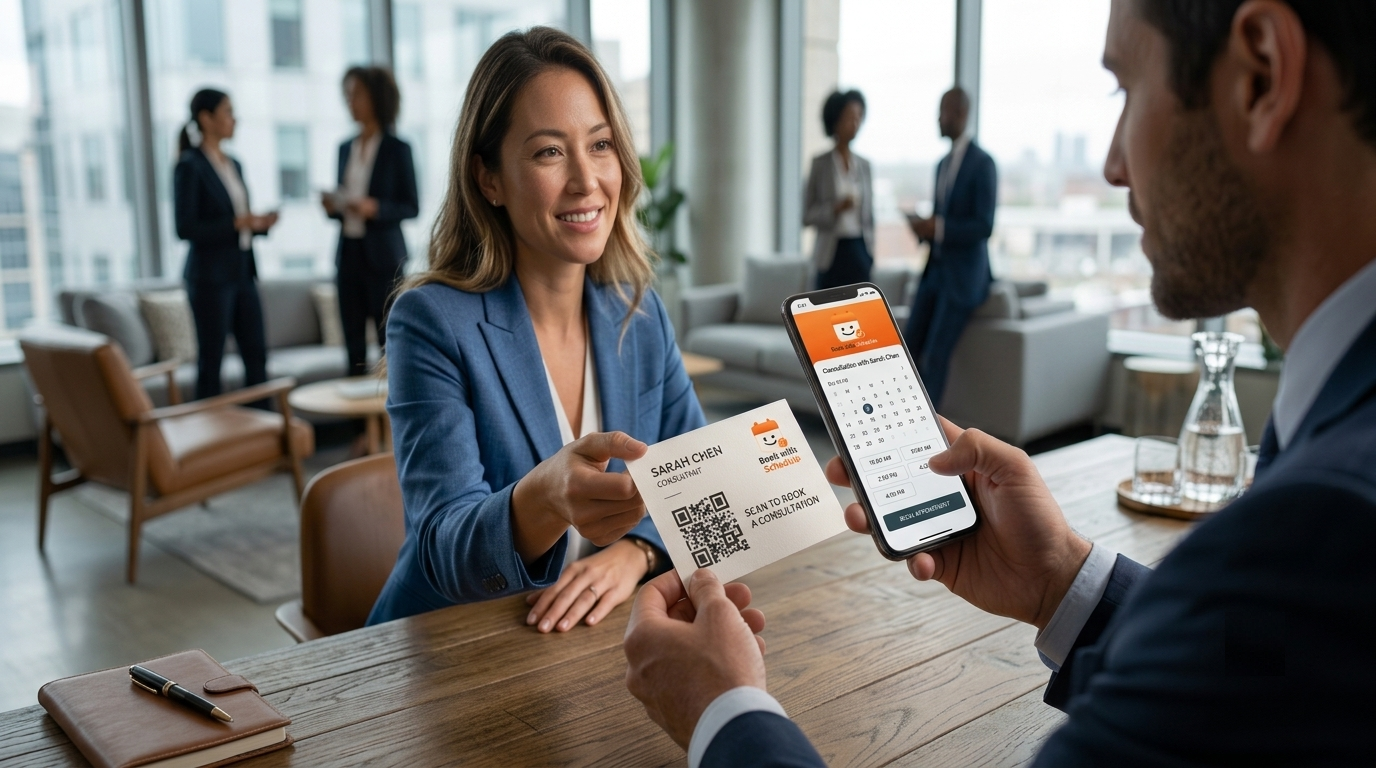
That could be while they are holding your business card after a meeting.
It could be when they receive an invoice and realize they need another session.
It might be at your reception desk while they are finishing an appointment.
Or it could be at a conference where someone has just said, “Let's talk about this next week.”
That is where an appointment QR code can do something useful.
With Book with Schedulo, each booking type has its own shareable link and downloadable QR code, so the same appointment can be distributed through different physical materials without creating a separate scheduling system for each one.
So, where to put an appointment QR code depends less on the QR itself and more on where your customer is when they are ready to take the next step.
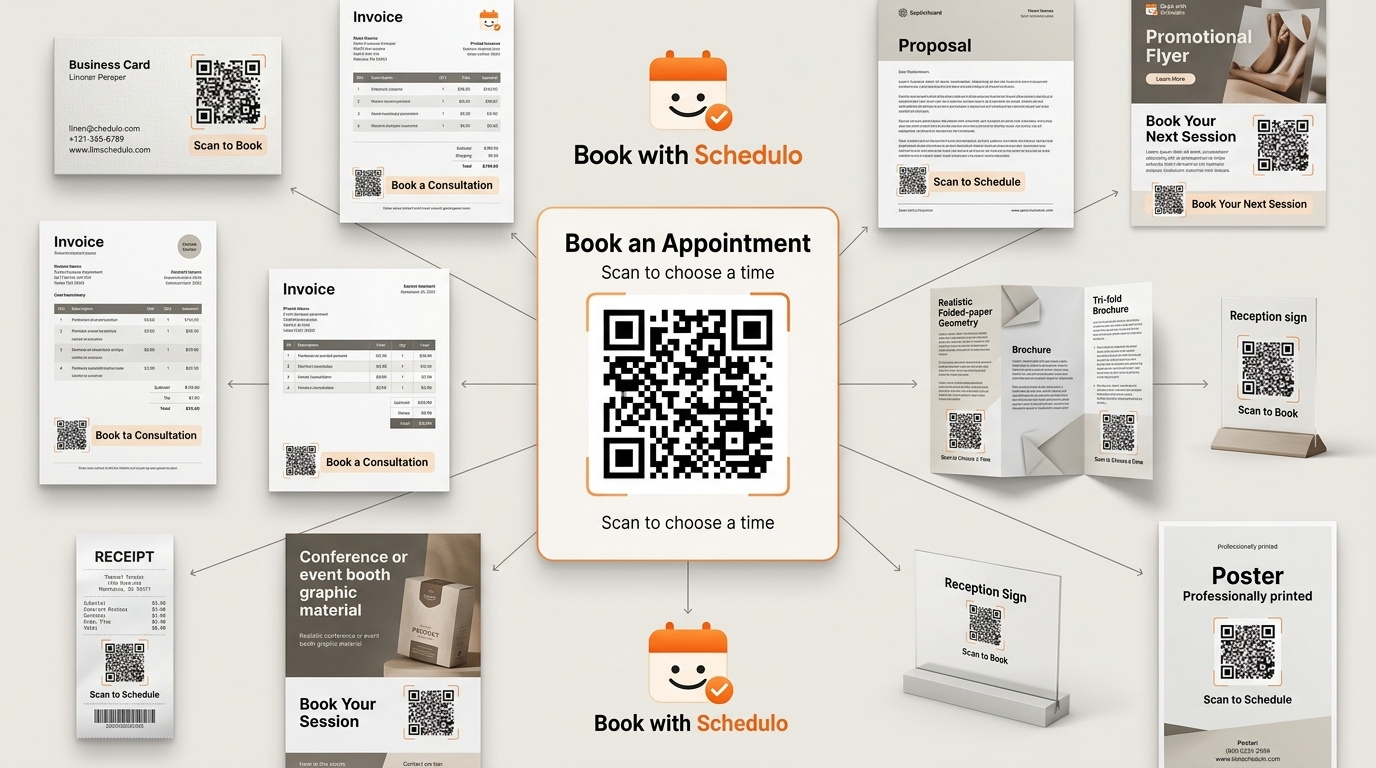
Here are ten places worth considering.
1. Business cards
A business card is probably the easiest place to start because the situation is so clear.
You have just met someone.
You've explained what you do.
They are interested enough to take your card.
What happens next is normally left to memory.
They save your number. They look up your website later. They tell themselves they'll send you a message tomorrow.
A QR gives them another option.
Instead of making the card say only:
Harshita Jain
Consultant
Email | Phone | Website
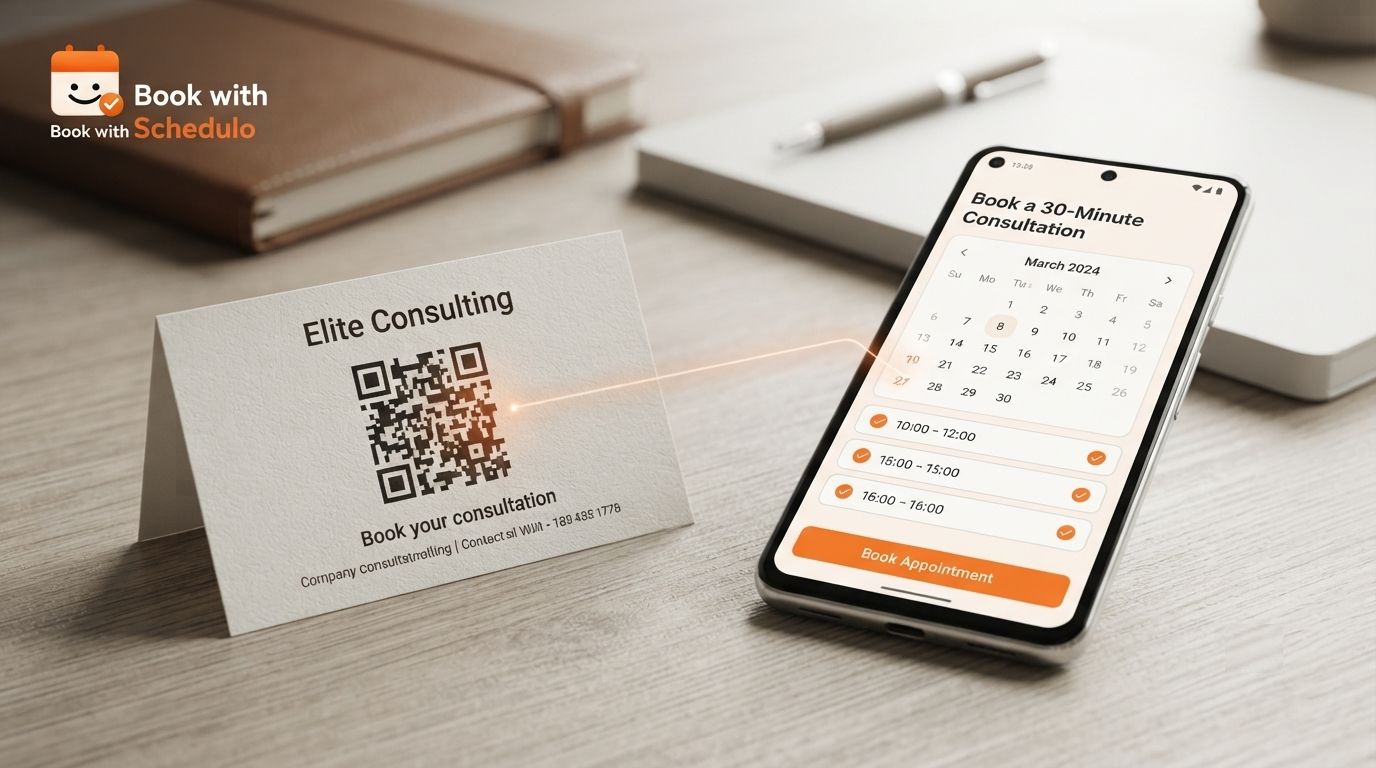
you can give the back of it a second purpose:
Want to discuss your project?
Scan to book a consultation
Then the QR goes directly to the appointment you want new prospects to choose.
That last part matters.
Don't send the code to your homepage just because the homepage is the easiest URL to find. If the conversation was about a consultation, let the person land on the consultation.
For a consultant, a discovery or introductory call may make sense. For a coach, it might be an intro session. For a freelancer, it could be a project discussion.
Book with Schedulo lets each booking type have its own QR, which makes that specific destination possible.
Our practical guide on how to put an appointment QR code on a business card covers the card itself in more detail, including size, placement, CTA wording and testing.
A good CTA:
Scan to book a consultation
Keep it that simple.
2. Invoices
Invoices are an underrated place for an appointment QR code because they often arrive after the first piece of work is already done.
The customer knows you.
They know what you do.
They may already be thinking about the next step.
A freelancer can use the invoice to make that next appointment easier.
For example:
Need a follow-up call?
Scan to book a time
That works particularly well for repeat work.
Maybe a designer has finished a project and expects another review call.
Maybe a consultant knows the client will need a follow-up next month.
Maybe a coach works with clients regularly.
The QR gives the invoice another small function without making it feel like an advertisement.
Book with Schedulo's freelancer workflow specifically supports QR codes on invoices and proposals, and different call types can be kept separate — including free and paid appointments.
There is one distinction worth making here.
For a digital invoice, a clickable booking link is usually easier.
For a printed invoice, a QR becomes much more useful.
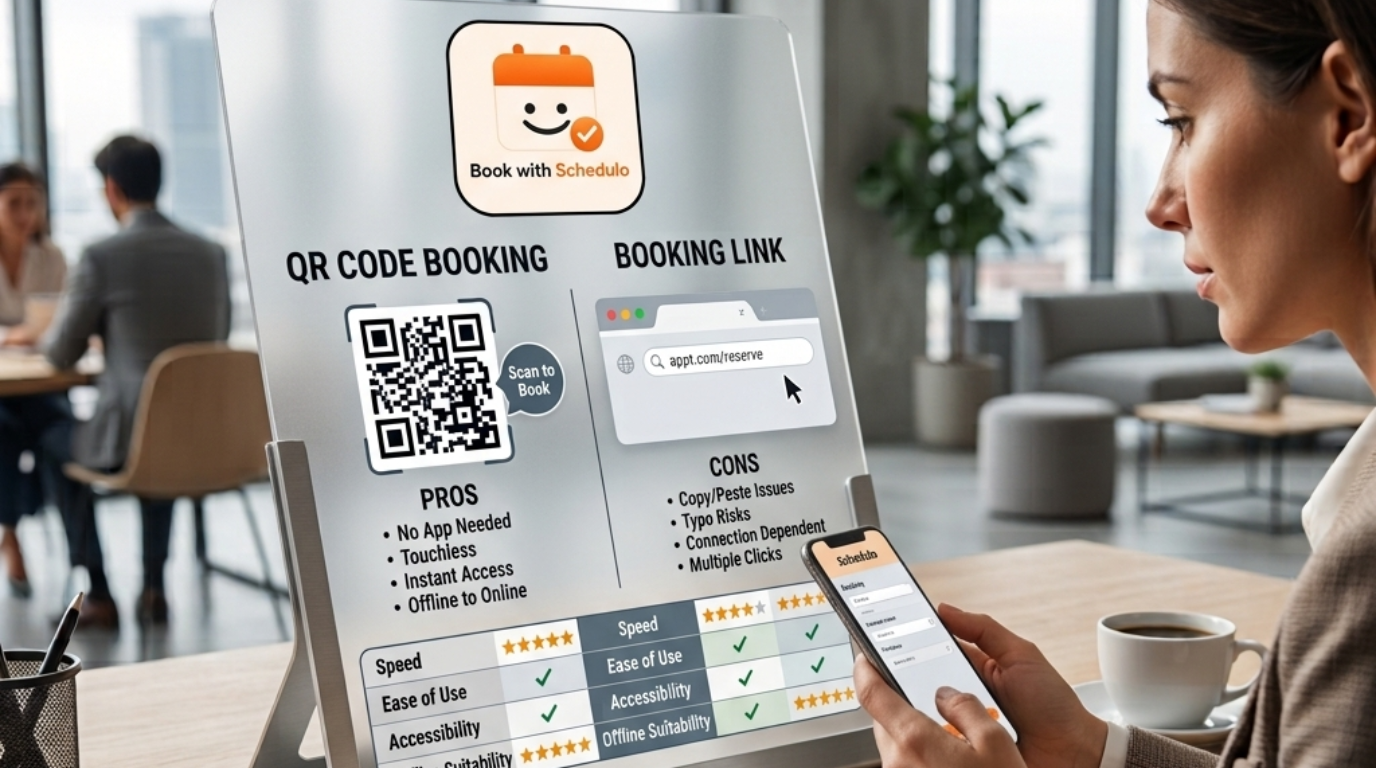
That is the same principle we covered in QR Code vs Booking Link: Which Is Better for Getting Appointments?
A good CTA:
Need another meeting? Scan to book.
3. Proposals
A proposal can be very close to the moment when somebody decides whether they want to work with you.
They have read what you are offering.
They have seen the price.
They may have a few questions.
And then the proposal ends.
Most businesses simply leave an email address.
That's fine.
But an appointment QR can turn the last page into a much clearer next step.
For example:
Questions about this proposal?
Scan to schedule a call
That is especially useful for consultants and agencies.
A prospect does not have to reply to an email, wait for you to suggest times, compare calendars and finally settle on a slot.
They can book when they are ready.
The QR should still lead somewhere specific.
If the proposal is for a consulting engagement, don't send the customer to a general booking page containing every service you offer.
Give them the appointment that matches the proposal.
The consultant-specific Schedulo page already describes using the booking link or QR in proposals, email signatures and LinkedIn.
For WordPress-based businesses, you can combine that offline touchpoint with a website booking button as well. Our guide on how to add an appointment booking button to a WordPress website covers that side.
A good CTA:
Have questions? Scan to book a quick call.
4. Flyers
A flyer has limited space.
That is actually useful when you are thinking about QR placement because you cannot explain everything.
A flyer might say:
Personal Coaching
Weekly one-to-one sessions
Flexible scheduling
Then near the bottom:
Ready to get started?
Scan to book an intro session
The QR becomes the bridge between the information on the flyer and the action you want the reader to take.
The mistake would be making the QR itself the headline.
The flyer should still tell someone what the service is.
The QR handles the next step.
This works particularly well for coaches, tutors, fitness instructors, local service businesses and businesses promoting a specific appointment-based offer.
Think about where the flyer will be seen.
If it is sitting on a community noticeboard, someone may scan it immediately.
If it is handed out at an event, the QR can let the person book before they forget why they took the flyer in the first place.
A good CTA:
Scan to choose a time.
5. Brochures
Brochures usually contain more information than flyers.
That gives you more room to make the QR relevant to a particular section.
Suppose a salon has a brochure with different services.
The QR doesn't necessarily need to lead to the salon's general booking page.
You could put a QR next to the section for consultations:
Interested in a consultation? Scan to book.
Or a coach might have:
Want to discuss your goals? Scan to schedule an intro session.
That is much more natural than putting one giant QR code on the back and writing:
BOOK NOW
The reader has just finished reading about a specific service.
The booking option should match that service.
You can also use different QRs in different parts of a brochure when the appointments are genuinely different, because each booking type can have its own code in Book with Schedulo.
That doesn't mean covering every page with QR codes.
One or two useful ones are better than a collection of codes nobody knows how to choose between.
A good CTA:
Interested in this service? Scan to book.
6. Reception desks
This one becomes particularly useful for businesses where the customer is already on-site.
Think salon.
Clinic.
Spa.
Studio.
Tutor.
Coach.
Consultant.
The customer has finished one appointment and is physically standing at reception.
A small sign can say:
Book your next appointment
Scan here
They don't need to call later.
They don't need to remember to visit the website.
They can book before they leave.
That can be particularly useful for recurring services.
A salon customer may already know they need another appointment in four weeks.
A coach may schedule another session.
A tutor may need the next class.
The best placement is somewhere the customer naturally looks while checking out or waiting, rather than hiding the QR among other printed notices.
And keep the instruction obvious.
The person shouldn't have to wonder whether the QR is for Wi-Fi, reviews or booking.
A good CTA:
Book your next appointment — scan here.
7. Posters
Posters are a little different because the person may not be standing right beside the business when they see one.
That means the message needs to make sense without explanation.
Consider a fitness studio promoting a trial session:
Try your first session
Scan to book
Or a tutor advertising a consultation:
Need help preparing for your exams?
Scan to book an introductory call
A poster in a waiting area can be more specific because the audience is already relevant.
A poster in a public space needs enough context to explain why someone should scan.
This is also one of the places where QR size matters.
Someone should not have to stand six inches away from a poster to scan it.
The bigger the physical display and the greater the expected scanning distance, the more space you should give the QR.
And test it from where someone would realistically stand.
A QR that works perfectly when you're holding the poster at your desk may not be nearly as useful on a wall.
A good CTA:
Scan to book your consultation.
8. Event booths and networking material
Events are one of the more obvious places for QR booking because the customer is already having conversations with you.
But don't make the mistake of putting the same generic QR on every piece of event material.
Think about what you actually want someone to book.
A consultant may want a short introductory call.
An agency may want a discovery call.
A coach may want an initial assessment.
A recruiter may want a candidate conversation.
Make that the destination.
A booth sign could say:
Want to continue the conversation?
Scan to book a 20-minute call
Your business card can use the same booking type.
Someone who is interested doesn't need to ask:
“What's the best way to reach you?”
You have already answered that.
A QR is particularly useful here because events compress a lot of conversations into a short period. The person who is genuinely interested can take action while the conversation is still fresh.
That's also why the broader QR code appointment booking guide talks about events and networking as an offline-to-online use case.
A good CTA:
Interested? Scan to book a follow-up call.
9. Product or service packaging
This one depends heavily on the business, but it can work surprisingly well.
Imagine a business that sells a product but also provides a service around it.
A skincare company might offer consultations.
A fitness brand might offer coaching sessions.
A technology provider might offer setup calls.
A specialty product could include a printed card inside the package:
Need help getting started?
Scan to book a setup call
Now the QR isn't simply promoting an appointment.
It's connected to the thing the customer just bought.
That context makes the CTA much more believable.
There are also businesses where the product itself naturally leads to recurring appointments.
The package could contain:
Ready for your next session? Scan to book.
The important thing is that the QR should match the customer's relationship with the product.
Don't put a generic “Book Now” code inside every package if the person has no reason to book anything.
Give the code a job.
A good CTA:
Need help getting started? Scan to book.
10. Printed receipts and other customer-facing material
Receipts are similar to invoices, but the timing is different.
The transaction has just happened.
The customer has just interacted with your business.
That can be the right moment to offer the next appointment.
A salon receipt could say:
Ready for your next visit? Scan to book.
A wellness studio could use:
Book your next session before you leave.
A service business could include:
Need a follow-up? Scan to schedule.
Other printed materials can work in much the same way:
appointment cards
take-home instructions
printed reports
membership documents
service summaries
feedback cards
The common thread is that the material is already going home with the customer.
That means the QR becomes a reminder as well as a booking tool.
The customer doesn't have to remember the website later.
They have the route to booking in front of them.
The best placement depends on what happens immediately before the scan
This is the part I would keep in mind when choosing among all ten options.
A QR works best when there is already a reason to book.
The business card follows a conversation.
The proposal follows a sales discussion.
The invoice follows completed work.
The reception QR follows an appointment.
The event booth follows an introduction.
The package follows a purchase.
The receipt follows a transaction.
That is why simply asking “Where can I put a QR code?” isn't quite the right question.
Ask:
What is the customer thinking about at this moment?
If the answer is:
“I should book this.”
then the QR can help.
If the answer is:
“I don't know which service I need.”
then sending them straight to a calendar may be premature.
That distinction will save you from putting QR codes everywhere without getting much from them.
One QR doesn't need to serve every situation
Suppose a consultant has three booking types:
15-Minute Intro Call
30-Minute Consultation
60-Minute Strategy Session
It might be tempting to create one QR that opens a page showing all three.
Sometimes that's fine.
But sometimes the better option is to match the code to the material.
Business card → Intro Call
Proposal → 30-Minute Consultation
Existing client document → Strategy Session
Book with Schedulo supports a separate QR for each booking type, so the printed destination can match the context.
That is particularly useful when the business has different audiences.
You don't need to make the customer work out which appointment they are supposed to choose.
The material can already make that decision.
Don't forget the booking page behind the QR
A good placement cannot rescue a confusing booking page.
Someone scans.
The page opens.
Now what?
The appointment should be obvious.
The duration should make sense.
The available times should be current.
The page should work properly on a phone.
And if payment is required, the customer should be able to complete that process without being sent off into another manual workflow.
Book with Schedulo's QR flow leads the customer to the relevant booking page, where they can see availability and book. The product also handles confirmations and reminders after the booking.
For businesses that charge at booking, payment can also be part of that process. Our separate article on accepting payments when customers book an appointment on WordPress covers the WordPress/payment side in more detail.
So the QR is only the first step.
The whole journey matters.
How to test a QR placement before printing everything
Don't test only the QR itself.
Test the situation.
If you're putting it on a business card, print the card.
If it's going on a poster, view it from the distance where people will actually see it.
If it's going on a reception sign, scan it while standing at the reception desk.
If it's going on an invoice, test the printed invoice rather than the PDF on your monitor.
Then check what happens after the scan.
Does the correct booking type open?
Does it work on mobile?
Can you choose a time?
Can you finish the booking?
If payment is required, does that work?
Do you receive confirmation?
This is especially important for printed material because you can't casually change a QR after a thousand copies have gone out.
QR code or booking link?
Sometimes you actually want both.
A printed proposal can have a QR for someone holding the paper and a short booking URL underneath it.
A business card can do the same.
But in digital channels, a link is often easier.
An email doesn't need a QR.
A WhatsApp message doesn't need a QR when the customer is already holding their phone.
A WordPress page normally benefits more from a clickable booking button.
Our QR Code vs Booking Link comparison goes deeper into that distinction.
The simple rule is:
QR for physical touchpoints.
Booking link for digital touchpoints.
There are exceptions, but it is a useful starting point.
Ten places doesn't mean ten QR codes
You don't have to create ten separate appointment types because you have ten places to put a QR code.
One booking type can be distributed in several places.
The same consultation QR can go on your business card, proposal and event booth.
A different booking type can have its own code for existing customers.
The important thing is to keep the destination relevant.
You're not creating QR codes for the sake of having QR codes.
You're creating a shorter path to the appointment.
Start with the place where interest is already happening
You don't have to redesign every piece of printed material you own.
Pick one.
If you're a consultant, start with the business card or proposal. The consultant use case is particularly suited to appointment links and QR codes because prospects often need a follow-up conversation before becoming clients.
If you're a freelancer, try invoices.
If you're a salon, try reception.
If you're a coach, try the studio or a printed handout.
If you're an agency, try proposals.
If you're running events, try the booth or networking card.
Start where the customer already has a reason to book.
Then see what happens.
A QR code doesn't need to be everywhere to be useful.
It just needs to appear at the right moment.
The useful question isn't “Where can I put it?”
There are dozens of places you could physically print a QR code.
That doesn't mean all of them will generate appointments.
The better question is:
Where is someone likely to think, “I should book this”?
That's the moment worth capturing.
For a consultant, it may be immediately after a conversation.
For a freelancer, it may be after a project.
For a salon, it may be while the customer is checking out.
For a coach, it may be after a session.
For an agency, it may be while a prospect is reviewing a proposal.
For an event exhibitor, it may be while someone is standing at the booth.
Put the QR there.
Make the reason to scan obvious.
Send it to the appointment that matches the situation.
And test the whole journey before printing hundreds of copies.
That's a much better use of an appointment QR code than simply adding one to every available surface.
With Book with Schedulo, every booking type can have its own shareable link and downloadable QR code, so the same scheduling system can support both online and offline booking channels.
For the product itself, see QR Code Booking Software.
And for the broader explanation of how QR booking can connect offline conversations with online appointments, see QR Code Appointment Booking.
The QR is not the booking.
It's simply the shortcut that gets the right person to it at the right moment.