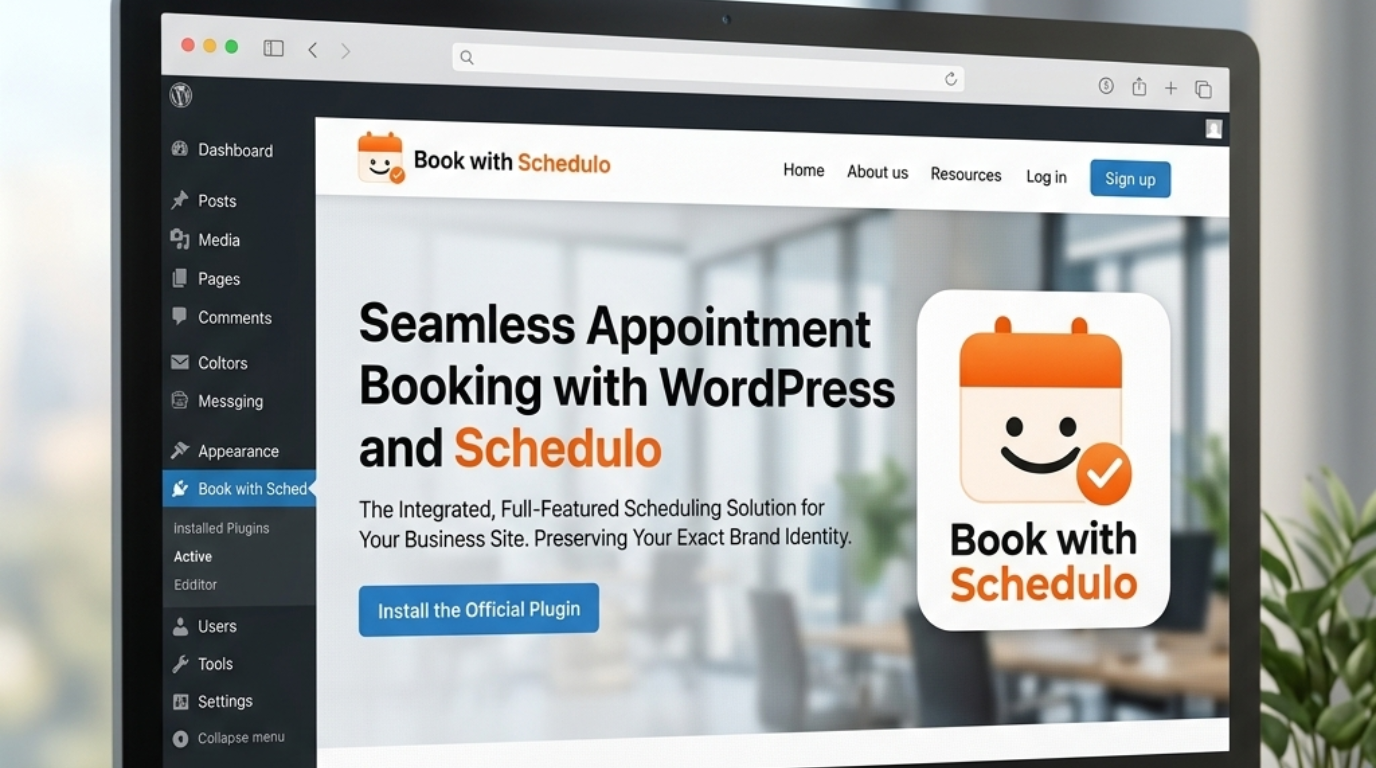
Best Appointment Booking Plugins for WordPress in 2026


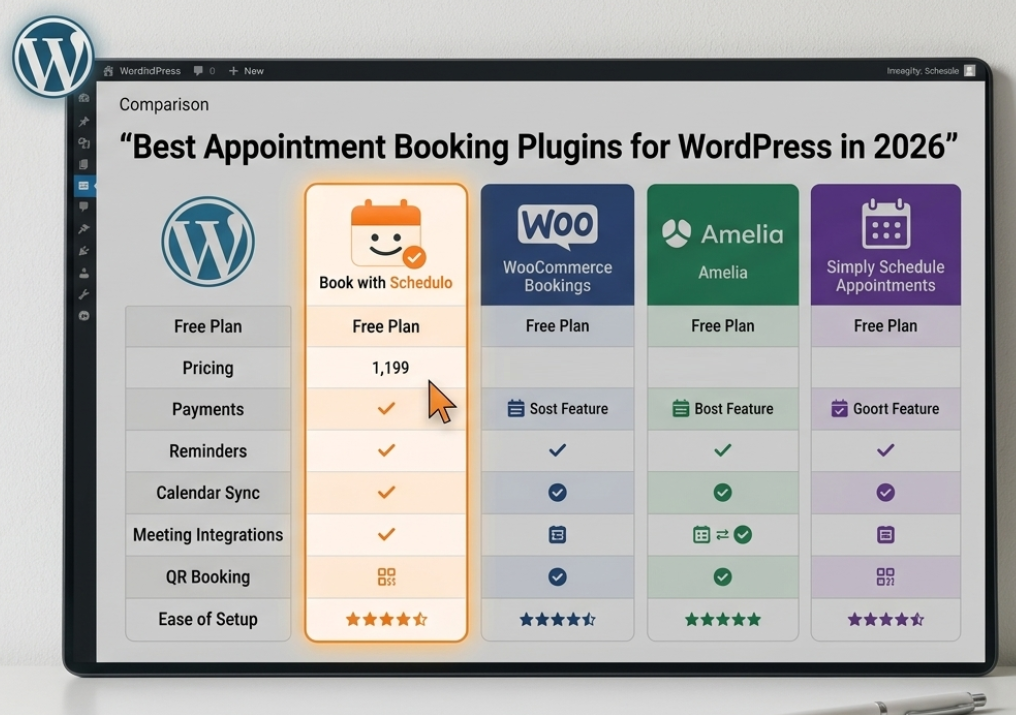
Best Appointment Booking Plugins for WordPress in 2026
Choosing the best appointment booking plugin WordPress users can add to a site usually leads to the same problem: there are too many options, and most of them appear to promise the same thing.
A calendar.
A booking form.
Confirmation emails.
Done.
Except it isn't quite that simple.
A solo consultant who wants people to book a 30-minute call has very different needs from a salon with six employees. A coach who collects payment before a session needs something different from a vacation-rental business taking reservations by date. And a freelancer who meets clients offline may care about a QR code much more than someone whose customers arrive entirely through Google.
So there isn't one plugin that is automatically the best for everyone.
For this comparison, we looked at Book with Schedulo, Amelia, Simply Schedule Appointments, LatePoint, and WP Booking System. They cover different parts of the WordPress booking market, and that difference is actually useful when deciding what belongs on your website.
Start with the booking problem you actually have
Before comparing features, ask what you want the plugin to replace.
If the answer is:
“I spend too much time asking customers when they are free.”
then you probably don't need a giant scheduling system.
You need a booking page, sensible availability settings, calendar synchronization and reminders.
If the answer is:
“I have several employees, several services and different locations.”
that's another situation.
Now team scheduling, staff calendars, locations, packages and more advanced rules become important.
And if the answer is:
“I rent something by the day.”
you may not even want a conventional appointment plugin.
This is why WP Booking System deserves a place in the comparison, but with an asterisk. Its current documentation describes it as a rental booking calendar and notes that its booking model works by day rather than conventional appointment time slots.
For a holiday rental, that makes perfect sense.
For a consultant selling 30-minute calls, it doesn't.
That one distinction can save you from choosing the wrong plugin before you even start comparing the rest.
If you want the simplest starting point
This is where Book with Schedulo and Simply Schedule Appointments are particularly interesting.
Both can work for a business that simply wants customers to choose an available appointment instead of exchanging messages about times.
Simply Schedule Appointments has a genuinely useful free edition. Its current Basic Edition allows unlimited appointment types and appointments, along with scheduling controls, blackout dates, email notifications and integrations with common WordPress page builders.
That's a significant advantage if your only requirement is:
“I want a proper booking system on my WordPress site without paying immediately.”
Book with Schedulo takes a somewhat different route.
Its free plan currently includes one booking type and 50 bookings per month, with no credit card required. The product focuses on quick setup, availability, booking links, confirmations, reminders and payment collection rather than trying to turn the WordPress dashboard into a complete business-management system.
For a solo professional, that can be enough.
And there is one thing here that makes Schedulo stand out.
The booking page isn't only something you put on your website.
Every booking type gets its own QR code and booking link. The QR can be downloaded as a high-resolution PNG and used on business cards, proposals, invoices and other physical material.
That is a slightly different way of thinking about appointment software.
Most WordPress booking plugins assume the customer's journey begins on the website.
Schedulo also supports the situation where the journey begins in the real world.
You meet a potential client.
You hand them your card.
They scan the QR.
The booking page opens.
That same approach works for a freelancer sending a proposal or a consultant putting a booking QR in printed material.
The other meaningful differentiator is payment collection. Book with Schedulo currently supports Razorpay for paid bookings, including UPI, cards and net banking, while automatic confirmations and reminders handle the repetitive follow-up.
And the customer side stays relatively light. The public product page says clients do not need to create a Schedulo account or install an app simply to book.
There is a trade-off.
Schedulo is newer than several of the established WordPress plugins in this comparison. Its current WordPress.org listing shows fewer than 10 active installations and no reviews, although the plugin has been updated recently.
So I would not recommend it because it has the longest WordPress track record.
I would recommend putting it on the shortlist when simple appointment scheduling, QR booking, payments and reminders are more important than having the largest possible collection of advanced WordPress-specific features.
If you need a lot of control, Amelia changes the conversation
Amelia is much more appropriate when your appointment operation starts becoming a system of its own.
Think about a business with multiple services and people.
A salon may have several staff members.
A clinic may have multiple practitioners.
A training company may run different sessions in different locations.
At that point, being able to create one booking calendar is no longer enough.
Amelia's current feature set includes employees, locations, services, packages, recurring bookings, group appointments, resources and a variety of integrations. Its pricing page also lists Google Calendar, Outlook, Apple Calendar, Zoom, Google Meet, Microsoft Teams and other integrations depending on the plan.
That makes it a very capable WordPress appointment booking plugin for a more complicated business.
It also means you should think twice before choosing it simply because it has a long feature list.
If you are a consultant with one service and one calendar, most of those capabilities may sit unused.
More software is not automatically a better customer experience.
Amelia is strongest when the underlying business is complicated enough to need it.
LatePoint is another option once the booking operation gets deeper
LatePoint sits in a similar part of the market, although its approach and interface are different.
Its current WordPress listing shows features such as appointment scheduling, booking forms, customer dashboards and payment support, while the paid version adds things such as multiple locations and agents, recurring appointments, group bookings, service extras, packages, calendar integrations and meeting integrations.
Payments are one of LatePoint's stronger areas.
The current documentation lists Stripe and Razorpay among the available payment methods, with more payment integrations available depending on the setup.
That's useful for a business where the appointment isn't just something that gets added to a calendar.
The booking itself may be the transaction.
A customer chooses a service, selects a time and pays.
LatePoint can handle that kind of setup inside WordPress.
Again, though, the question is whether you need it.
Someone who simply wants visitors to schedule a 30-minute discovery call may prefer a lighter experience.
Someone running a service operation with customers, employees and paid appointments may appreciate the extra depth.
There is a reason Simply Schedule Appointments has stayed popular
Simply Schedule Appointments does something that is easy to underestimate.
It stays fairly close to the core WordPress use case.
You have a WordPress website.
You need appointment scheduling.
You install the plugin.
You put the booking interface on a page.
Its current documentation shows support for Gutenberg, Elementor, Divi and Beaver Builder. The free edition covers unlimited appointment types and bookings, while higher editions add Google Calendar, Zoom, Google Meet, payments, SMS, group appointments, team scheduling and resources.
That makes it a particularly sensible choice for someone searching for the best booking plugin for WordPress and whose customers already arrive through the website.
It is established, WordPress-focused and easy to understand as a product.
Its limitation compared with Schedulo isn't that it cannot handle appointment scheduling.
It can.
The difference is in what happens outside the website.
Schedulo has made QR booking part of the core product. Simply Schedule Appointments is much more centered on the WordPress scheduling experience itself.
That may not matter to you.
Or it may be exactly the reason one belongs on your shortlist and the other doesn't.
What about payments?
This is where comparison articles often become a little misleading.
You'll see:
Payments: Yes
beside nearly every plugin.
That isn't enough information.
You need to know which gateway, which plan and what type of payment flow you're getting.
Book with Schedulo currently supports Razorpay for collecting payment during booking. The product lists UPI, cards and net banking, with payment collection on Standard and above.
LatePoint supports payment collection through providers including Stripe and Razorpay, with more processors available in its paid setup.
Simply Schedule Appointments puts Stripe and PayPal payments in its Professional edition.
Amelia supports multiple payment methods as part of its broader booking platform.
WP Booking System also supports several payment gateways, but its wider product is built around rental-style booking.
So don't make your decision from a yes/no feature table.
Ask a more useful question:
Can this plugin take the kind of payment I actually need, on the plan I can afford?
That's much harder to misunderstand.
For more detail on the payment side of appointment scheduling, see how to accept online payments when customers book an appointment.
Reminders are another feature that looks similar until you use it
Getting someone to book is only the first part.
A customer who books a week in advance still has to remember the appointment.
Simply Schedule Appointments includes time-triggered notifications, while its Professional edition adds SMS notifications. Amelia has its own notification and reminder system. LatePoint supports additional communication options, including SMS and WhatsApp in its paid offering.
Book with Schedulo takes a straightforward approach here too.
Confirmation emails are automatic, reminders go out before the appointment, and WhatsApp notifications are available through its WhatsApp integration.
For a business with only a handful of calls every week, this may not be the feature that decides the purchase.
For a business dealing with regular appointments, it can become one of the more important ones.
That's also why it makes sense to look at the cost of appointment no-shows separately from the booking software itself.
A reminder does not guarantee attendance.
It simply removes one avoidable reason for someone to forget.
Then there is calendar sync
This one sounds boring until you have two appointments at the same time.
A scheduling plugin should know when you're actually unavailable.
Book with Schedulo connects with Google and Outlook calendars, so the availability shown to customers can reflect your existing calendar commitments.
Simply Schedule Appointments supports Google Calendar and several meeting integrations in its paid editions.
Amelia supports Google, Outlook and Apple calendars, alongside Zoom, Google Meet and Microsoft Teams depending on the plan.
LatePoint adds Google, Outlook and Apple Calendar integration plus Zoom, Google Meet and Microsoft Teams in its paid offering.
This is one area where most of the established options are capable.
The important thing is to test how the synchronization actually behaves before trusting it with a busy calendar.
Read the documentation.
Create a test event.
See what happens.
“Calendar integration” on a pricing page doesn't tell you how it feels to use every day.
Where WP Booking System belongs
I wouldn't use WP Booking System as a direct alternative to all four appointment plugins above.
Its strength is different.
Its own website describes it as a booking calendar for rental businesses, and its feature set includes custom pricing by day or season, multiple currencies, invoices and contracts, refunds, extra services and rental-specific tools.
That makes it a much more obvious choice for holiday rentals, properties, equipment, vehicles or anything else where the customer is reserving something for one or more days.
You don't want a renter choosing:
Tuesday at 10:00 AM.
You want them choosing:
September 17–22.
That's a completely different problem.
This is why “best appointment booking plugin WordPress” shouldn't be treated as a single category.
Some WordPress booking plugins are for appointments.
Some are for rentals.
Some are trying to cover both.
Understanding that difference is more useful than ranking them from one to five.
What happens on the customer side?
This is probably the test I would use before buying any of them.
Forget the admin dashboard.
Open the booking page as a customer.
Imagine you've never seen the product.
Can you tell what you're booking?
Can you find a suitable time?
Is anything asking for information that feels unnecessary?
If the appointment is paid, is the payment step understandable?
What happens after you book?
Can you reschedule if something changes?
A plugin can look fantastic from the WordPress dashboard and still create a frustrating customer experience.
Book with Schedulo deliberately keeps the client side light: customers open the booking page, choose an available time, enter their details and book without needing to create a Schedulo account or download an app.
That is particularly relevant when the booking doesn't start on the website.
Someone can scan a QR code from a business card and arrive at the same booking page.
Someone else can receive the same link in WhatsApp.
Someone else can click the button on your website.
The entry point changes.
The customer experience doesn't have to.
QR booking changes the comparison a little
This is probably Schedulo's most unusual differentiator in this group.
A lot of appointment plugins solve the website problem very well.
Schedulo also solves a little offline problem.
Every booking type has its own QR code. It is downloadable as a high-resolution PNG and can be printed on business cards or other material.
That gives you some interesting uses.
A consultant can put a QR on a business card.
A freelancer can add one to a proposal.
A service business can put one at reception.
A coach can include one in printed material.
Someone scans it and reaches the booking page without having to remember the website address.
That may not matter to you at all.
If every customer comes through organic search and books on your WordPress site, a QR code isn't going to be the reason you choose scheduling software.
But if offline conversations are an important source of customers, it is worth considering.
Our guide on how to put an appointment QR code on a business card goes deeper into the practical side of that setup.
What happens when the booking is paid?
There is another useful distinction between a booking plugin and a complete booking workflow.
Suppose a customer is booking a free introductory call.
They don't need to pay.
But you also offer a paid consultation.
That customer should be able to choose the paid appointment, select a time and pay during the booking process.
They shouldn't have to receive a second email from you saying:
“Here's the payment link.”
Book with Schedulo is designed around that type of flow, with paid booking types using Razorpay and payment collected during booking.
That's one reason payment support belongs in this comparison.
It's not just about whether a plugin has a Stripe button.
It's about whether your booking logic and payment logic can live together.
For a closer look at this part of the workflow, see How to Accept Online Payments When Customers Book an Appointment.
What if you only need a booking button?
This is another reason not to overbuy.
You might already have a perfectly good WordPress website.
Your service pages are done.
Your navigation works.
You don't need a huge booking calendar sitting on every page.
You just want:
Book a Consultation
Click.
Booking page opens.
Done.
That is a perfectly reasonable requirement.
The WordPress appointment booking button guide covers exactly that implementation using the Book with Schedulo WordPress plugin.
The plugin supports a Gutenberg block as well as shortcode, and you can use the booking experience inline, in a popup or as a floating button.
This is an important distinction when comparing plugins.
Ask whether you need a booking system or simply a booking layer for the website.
Those are not always the same thing.
So which plugin would I actually choose?
I'd make the decision based on the business rather than the feature count.
Book with Schedulo makes a strong case for consultants, coaches, freelancers and other small service businesses that want a straightforward booking flow, payment collection, automatic reminders and something beyond the website itself — particularly QR booking. The free plan also makes it possible to start without a paid commitment.
Amelia makes more sense when the booking operation itself is complicated. Employees, locations, packages, recurring services and more advanced workflows are where its wider feature set becomes useful.
Simply Schedule Appointments is a sensible choice for someone who wants a mature WordPress appointment plugin with a generous free starting point and a clear progression into calendars, meetings, payments, SMS and team scheduling.
LatePoint is worth a serious look when appointment scheduling is becoming a deeper operational system and you need payments, staff, recurring services, groups, locations and customer management within WordPress.
WP Booking System belongs on the shortlist when the booking is really a reservation by day or date range, especially for rentals.
None of those choices makes the others bad.
They're solving slightly different problems.
And that's probably the most useful thing to remember when searching for the best booking plugin for WordPress.
Don't begin with:
“Which plugin has the most features?”
Begin with:
“What do I want my customer to be able to do?”
If the answer is simply “pick an available time and book,” a lightweight scheduler may be all you need.
If you have staff, locations, packages and complex services, you probably need something deeper.
If people discover your business offline as well as online, QR booking may suddenly become important.
And if customers need to pay before an appointment, make sure the payment flow works the way your business actually operates.
The right plugin is the one that makes that journey easier — for you and for the person doing the booking.
For a broader look at setting up online scheduling, see How to Add Online Appointment Booking to Your Website.