How to Create Separate Booking Links for Discovery Calls, Client Meetings, and Follow-Ups


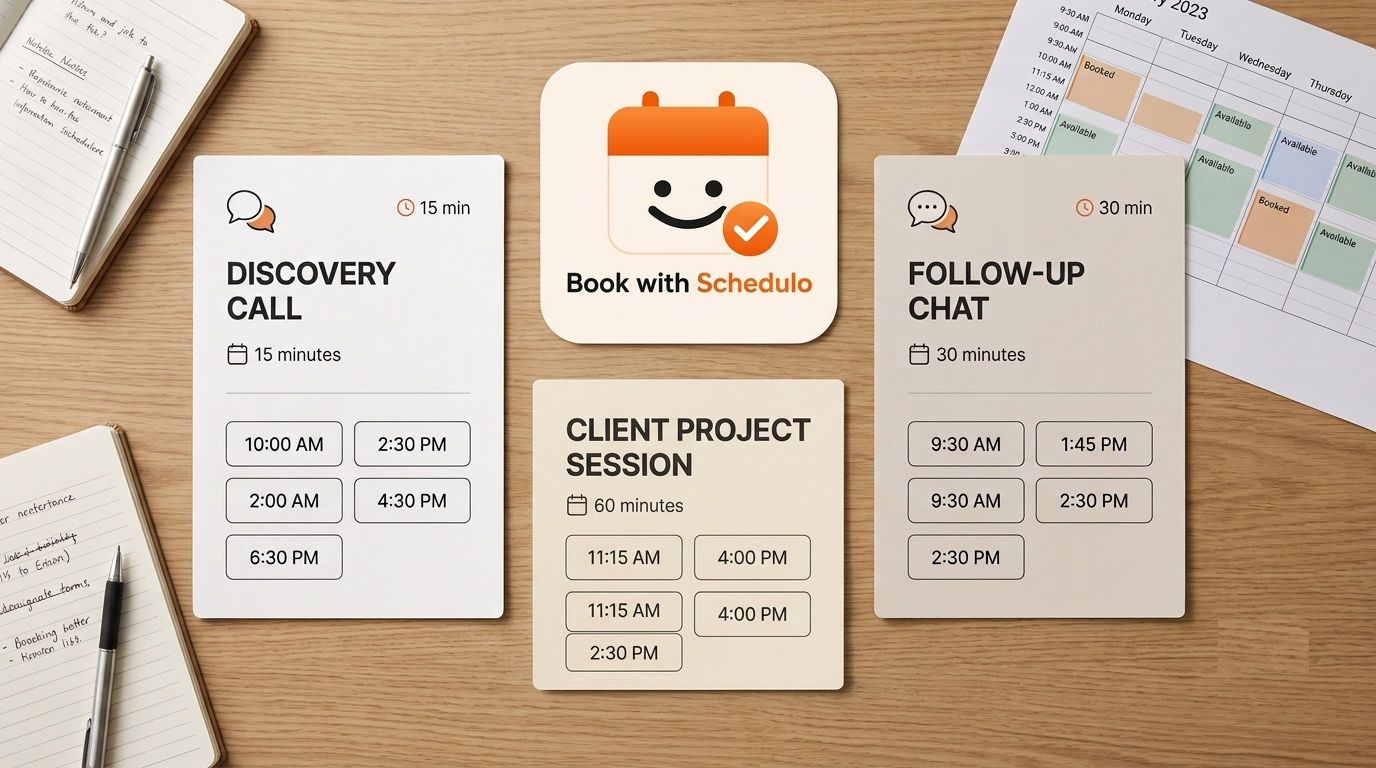
One booking link might suffice when you first start consulting. You may later find yourself using the same link for initial calls, project reviews, and occasional client questions. Those meetings don't always take the same amount of time.
Before creating more links, review the calls you've been scheduling. Start with discovery calls and regular client meetings. Add a short follow-up option if you're repeatedly spending more time finding a slot than arranging the conversation itself should take.
Discovery Calls
A discovery call is for someone considering your services. Set the duration around the conversations you actually have. If you can usually understand a prospect's requirements in 20 minutes, there's little reason to reserve an hour. More complicated enquiries may need 30 minutes or longer.
The appointment description should tell prospects what they'll get from the conversation. For example:
We'll discuss your project, what you're looking for help with, and whether we're a suitable fit. Please add a short note about your requirements when booking.
You can keep these calls to particular days or times if that suits your week better. If Tuesday and Thursday afternoons are when you prefer to speak to new prospects, there's no need to make every open hour available.
Use the discovery-call link on your consultation page and when replying to new enquiries. If your website doesn't have a booking option yet, this guide to adding online appointment booking explains how to set one up.
Client Meetings
For ongoing work, create a separate appointment type for project reviews and working sessions. A review of a detailed report may need 45 minutes; a routine progress call might take half an hour. Check your recent meetings before settling on a duration.
The gap after a meeting is easy to overlook. You may finish a call at 11:30, but still need to write up the decisions or send a revised document. If another client has booked the same time, that work gets pushed aside. Add a buffer where you need one, rather than relying on every call to finish early.
Share the client-meeting link when arranging a review or asking an existing client to choose a time for the next discussion. One link can work for several clients if the meetings have similar purposes and durations. You don't need to create a different appointment type for every person.
Short Follow-Ups
A client has a question about a report. You could answer it over email, but sometimes it's easier to talk through the point than exchange several messages. A 10- or 15-minute follow-up slot gives the client a way to book that time.
Use a name such as Quick Client Follow-Up and explain what the slot is for. If the client needs to review a document in detail or discuss a change in scope, the regular client-meeting link is more appropriate. Otherwise, the short booking can turn into a much longer conversation than you planned.
Whether you need a dedicated link depends on how often these calls come up. If they're occasional, arrange them directly. If the same scheduling exchange keeps recurring, the extra appointment type may be worthwhile.
Checking the Setup
Once the links are ready, open each booking page and check the duration, description, and available times. Make a test booking and confirm that it appears correctly in your calendar.
If you use Google Calendar or Outlook, connect the relevant calendar through Book with Schedulo and check how bookings affect your availability. You can find more information in the Google Calendar integration guide.
Look at the combined schedule as well. Discovery calls and client meetings might have sensible availability on their own, but together they could fill an entire afternoon. Leave room for project work, and check that the times shown to clients are correct if you work across time zones.
Decide where each link belongs. The discovery-call link can go on your consultation page; the client-meeting link can be shared when arranging ongoing work. Keep the follow-up link available for direct sharing when a short call makes sense.
If your email signature already contains a booking link, check which appointment it opens. The guide to booking links in email signatures covers that use case.
Book with Schedulo's free plan includes one appointment type and up to 50 bookings per month. Check the current plan limits if you need separate types for all three meetings.
After using the links for a few weeks, look at the appointments that came through. If discovery calls keep overrunning, change their duration. If clients use the short follow-up link for longer discussions, make the description clearer. If one appointment type gets little use, you may not need to keep it.
You can explore the available options on the Book with Schedulo consultant scheduling page.