Interview Scheduling for Recruiters: How to Let Candidates Book Their Own Interviews


A candidate passes the first screening. The recruiter wants to arrange an interview, so an email goes out asking for availability.
The candidate replies with a few options. One conflicts with another interview. Another works for the hiring manager but not for the technical interviewer. A new set of times goes out, and the process continues.
This is not the difficult part of recruitment, but it can take up a surprising amount of the day when several candidates are moving through the process at once.
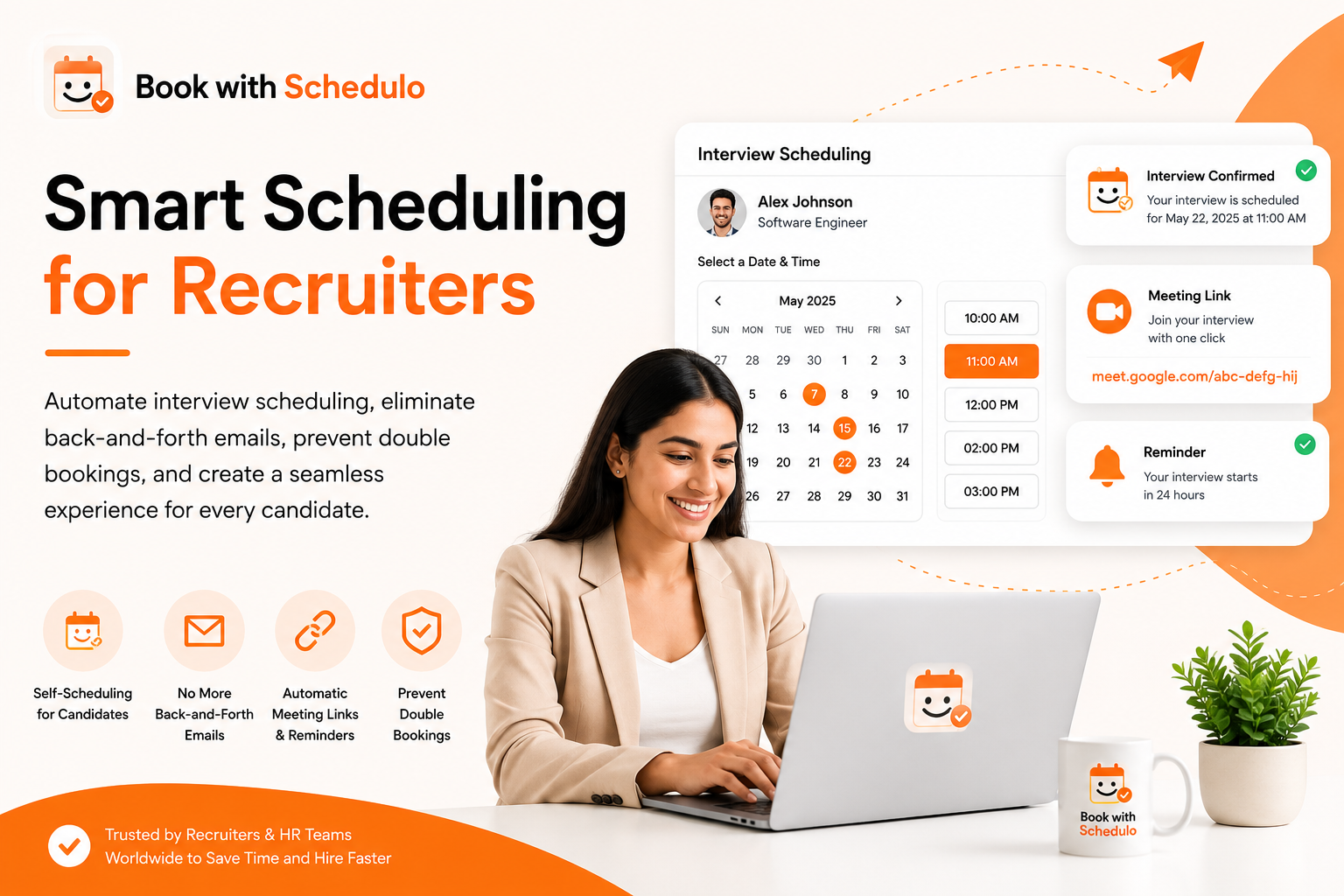
Interview scheduling software can help by giving candidates a link to select an available time instead of making the recruiter coordinate every appointment manually.
The important part is setting up the booking process properly. A link by itself will not fix a confusing interview process or an inaccurate calendar.
Where interview scheduling starts to get difficult
The first interview is usually straightforward. The problems become more noticeable when several candidates are at different stages.
One person needs an HR screening call. Another is ready for a technical interview. A third needs to speak with the hiring manager. Each meeting has a different duration, and the interviewers may not have the same working hours.
There are a few things worth getting right before introducing a self-booking link:
- Availability: Candidates should only see the times you are prepared to offer.
- Interview duration: A short screening should not occupy the same amount of time as a detailed technical discussion unless that is intentional.
- Calendar conflicts: Existing meetings and unavailable periods should not be offered as open slots.
- Meeting details: The candidate needs the right date, time and joining information.
- Reminders: Both sides should have enough notice to attend the interview.
A booking workflow can handle much of the coordination. The recruiter still needs to decide who moves forward and which interviews should happen next.
1. Set up a separate booking type for each interview stage
Start by listing the meetings that take place regularly. For example:
| Interview type | What to set up |
|---|---|
| Initial screening | Short duration and defined availability |
| Technical interview | Longer duration, with sufficient time between meetings |
| Hiring manager conversation | Availability that reflects the manager's schedule |
| Final discussion | A suitable duration and clear instructions for the candidate |
These do not necessarily need to be separate tools or complicated workflows. The aim is to make each appointment clear and easy to arrange.
With Book with Schedulo, you can create booking types with their own booking links and availability settings. That lets a recruiter share the appropriate link for a screening call rather than sending every candidate to the same generic appointment.
Set the duration and availability before sharing the link. Include buffer time where you need a break between interviews, and use booking limits if you do not want the calendar filled with interviews for an entire day.
2. Send the candidate a direct booking link
Once a candidate is ready for the next stage, send them the link for that interview.
The message should explain what the appointment is for, who they will speak with if that information is available, and what they should do next.
For example:
Hi Priya,
We'd like to arrange your initial screening call. Please use the link below to choose a suitable time from the available slots.
[Choose an interview time]
Once you book, you'll receive the meeting details and confirmation.
This is clearer than asking someone to send over three or four possible times. The candidate can choose from the availability you have already decided to offer.
It also means the recruiter does not have to copy a list of slots into every email. The same booking link can be reused for candidates at the same stage, provided the event settings are suitable for that interview.
3. Make sure the calendar reflects real availability
Self-booking only works if the available slots are accurate.
Before using a booking link, connect the calendar you rely on for scheduling and verify that existing events are being handled correctly. Book a test appointment and check that the slot is no longer available afterward.
It is worth testing a few ordinary situations:
- You already have a meeting in the middle of your interview hours.
- You need a break between two interviews.
- You change your availability for a particular day.
- A candidate books a slot while another candidate is looking at the page.
The goal is to offer candidates times you can actually attend and avoid creating a second calendar that needs to be maintained manually.
Do not assume that a candidate booking link coordinates every person involved in a panel interview. If an interview requires several interviewers, check that the scheduling setup supports their shared availability before sending the link. Book with Schedulo supports team and round-robin scheduling when a panel needs shared availability.
4. Give candidates the meeting details they need
A candidate should not have to search through an old email to find out when the interview is happening.
Check what the confirmation includes: the appointment date, time, relevant time zone, calendar invitation and joining instructions.
If your setup uses a supported video-meeting integration, complete a test booking and confirm that the correct meeting link appears in the confirmation and calendar invitation. Do not rely on the integration simply showing as connected in the settings.
Time zones deserve particular attention when recruiting across cities or countries. A clear invitation can prevent a candidate from joining an hour early or missing the call entirely.
The same principle applies to interview instructions. If a candidate needs to prepare something or bring particular information, tell them before the appointment rather than assuming they already know.
5. Use reminders and make changes easier
Candidates sometimes forget an appointment. Others need to reschedule because of an unexpected work commitment.
Sending every reminder manually creates another task for the recruiter. Automatic confirmations and reminders can reduce that work, while a clear rescheduling process makes changes easier to manage.
Before relying on the system, test the actual candidate experience. Check when reminders are sent, what details they contain, and whether the candidate can understand what to do if they cannot attend.
For broader advice on reminders, see How to Reduce Appointment No-Shows With Automatic Reminders. If your recruiting workflow uses supported rescheduling options, test those separately rather than assuming a reminder automatically gives a candidate the ability to change an interview.
6. Keep the process simple for candidates
Recruiters know the names of internal interview stages. Candidates may not.
Use clear booking titles such as “Initial Screening Call” or “Technical Interview” instead of internal labels that only make sense to the hiring team.
Keep the booking page focused on the information needed to arrange the meeting. If the candidate has to work out which of several similar links to choose, the process is still harder than it needs to be.
It is also useful to test the link from the candidate's point of view. Open it in a private browser window or on a phone. Check that the available times are easy to understand and that completing a booking does not require the candidate to create an unnecessary account.
What interview scheduling software does—and what it doesn't
A scheduling tool can remove much of the back-and-forth involved in arranging a meeting. It can help manage availability, share booking links, send confirmations and reminders, and keep calendar information organised.
That does not make it a replacement for an applicant tracking system or the recruiter's judgment. It does not decide who should be interviewed, evaluate candidates or automatically coordinate a complex panel unless the specific product supports those workflows.
Start with the scheduling problem you actually have. If most of your time is spent finding an available half-hour for initial interviews, a direct booking link may remove enough friction to make a difference. More complicated hiring processes may need additional tools or coordination.
A checklist before sending your first candidate link
Before rolling out the process, make a test booking and confirm the following:
- The correct interview type and duration are shown.
- Only intended time slots are available.
- Existing calendar commitments are respected.
- The confirmation contains the correct date, time and meeting details.
- Reminders work as expected.
- You know how a cancellation or rescheduling request will be handled.
Once that works, send the link to a small group of candidates and see whether the process is clear from their side. Their questions can reveal problems that are easy to miss when you are the person who set everything up.
Let candidates book their interviews more easily
If your team spends too much time exchanging emails just to agree on an interview time, start by improving that part of the process.
Book with Schedulo's recruiter scheduling workflow lets you set availability and share booking links for interviews. Test the full candidate journey before using it with applicants, and keep the workflow as simple as the role allows.