How to Let Customers Reschedule Appointments Through WhatsApp


When someone books an appointment, you usually assume the time is settled.
Then the customer messages you the day before.
Something has come up. They can't make it at the original time and want to know what else is available.
For a business that handles a handful of appointments, finding another slot isn't a big deal. You check the calendar, suggest a time and update the booking.
The trouble starts when this happens regularly.
A few rescheduling requests here and there can turn into a steady stream of messages, especially if most of your appointments are arranged several days or weeks in advance.
This is one of the less obvious reasons to look beyond the basic booking features when choosing an appointment scheduling system. Booking the appointment is only one part of managing it. Customers may need to change the time later, and that process matters too.
Customers don't always need to cancel
A customer who wants to change an appointment isn't necessarily a lost customer.
They may still want the consultation, meeting or service. The original time simply doesn't work anymore.
That distinction is important for appointment-based businesses.
If the only practical option is to cancel and contact you again later, the customer has another task to remember. There is a chance they never get around to making the new booking.
Rescheduling is different. The appointment continues; only the time changes.
For example, someone may book a consultation on Monday for the following Thursday. On Wednesday, they realise they have another commitment at the same time. Rather than cancelling the consultation altogether, they can look for another available slot.
That is a much more useful outcome than losing the appointment completely.
The back-and-forth is where the time goes
The actual calendar change isn't usually the difficult part.
Finding the new time is.
A customer might ask which slots are available on Friday. You check your calendar and send two or three options. They pick one, but by then one of those times has been taken by another booking. You check again and suggest another option.
It is the sort of conversation that takes only a few minutes, but it is also the sort of conversation that happens repeatedly.
If you're managing appointments throughout the day, those minutes don't stay isolated. They become part of the administrative work surrounding every booking.
An online appointment scheduling system can take some of that work out of the conversation by showing customers the availability you've already set.
Let customers choose another available time
Once an appointment has been booked, the customer should not need to ask you for a list of available times every time their plans change.
A rescheduling option can take them back to the available slots and let them choose another suitable time.
The important part is that they are choosing from your actual availability.
If you're already booked at 3 PM, that slot isn't offered as an alternative. If you've opened Friday morning for appointments, those times can be selected instead.
This keeps the customer involved in the change without requiring you to coordinate every step manually.
It also means the original appointment can be moved rather than simply abandoned.
Where WhatsApp fits into the process
WhatsApp is useful here because it can act as a reminder channel after the booking has already been made.
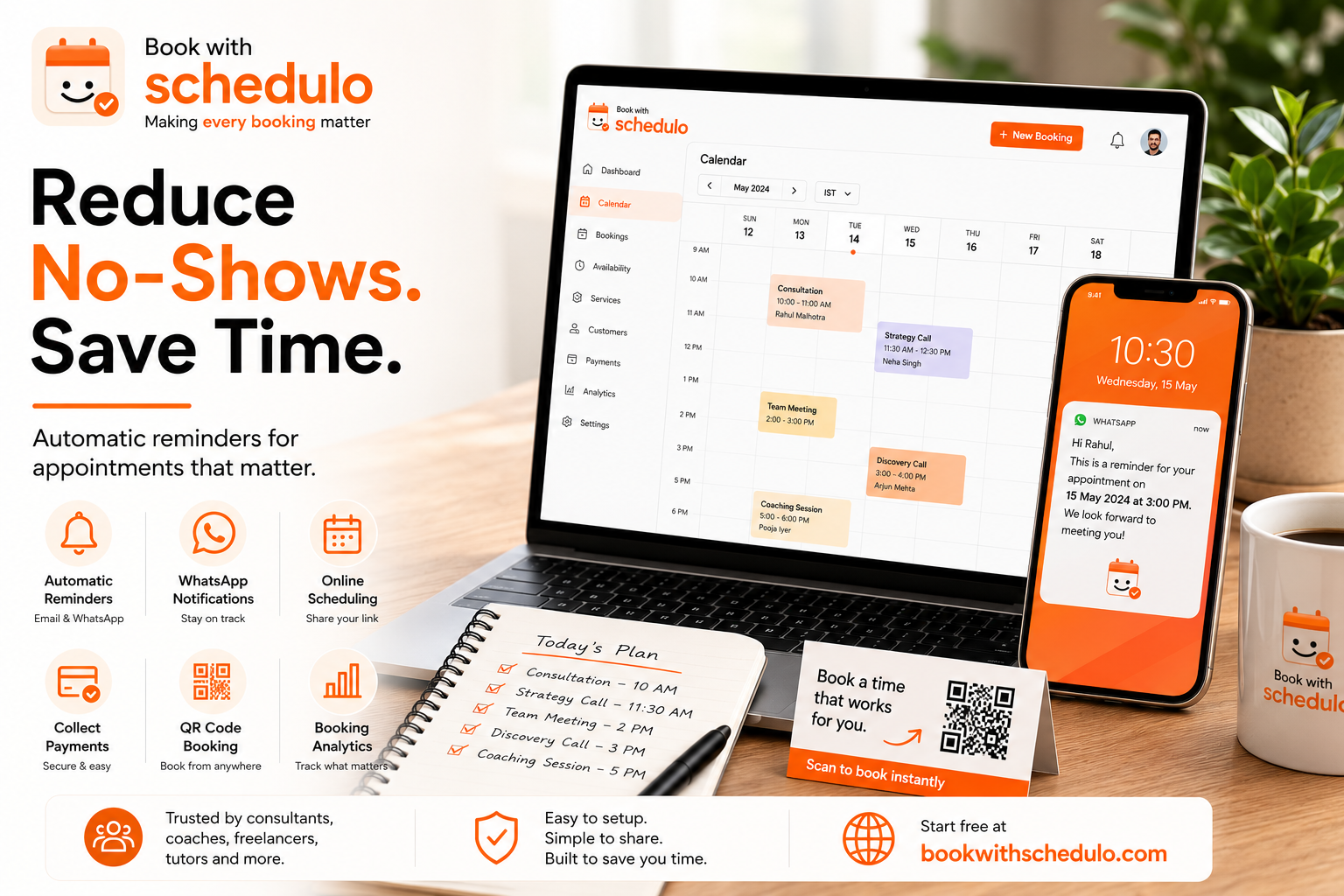
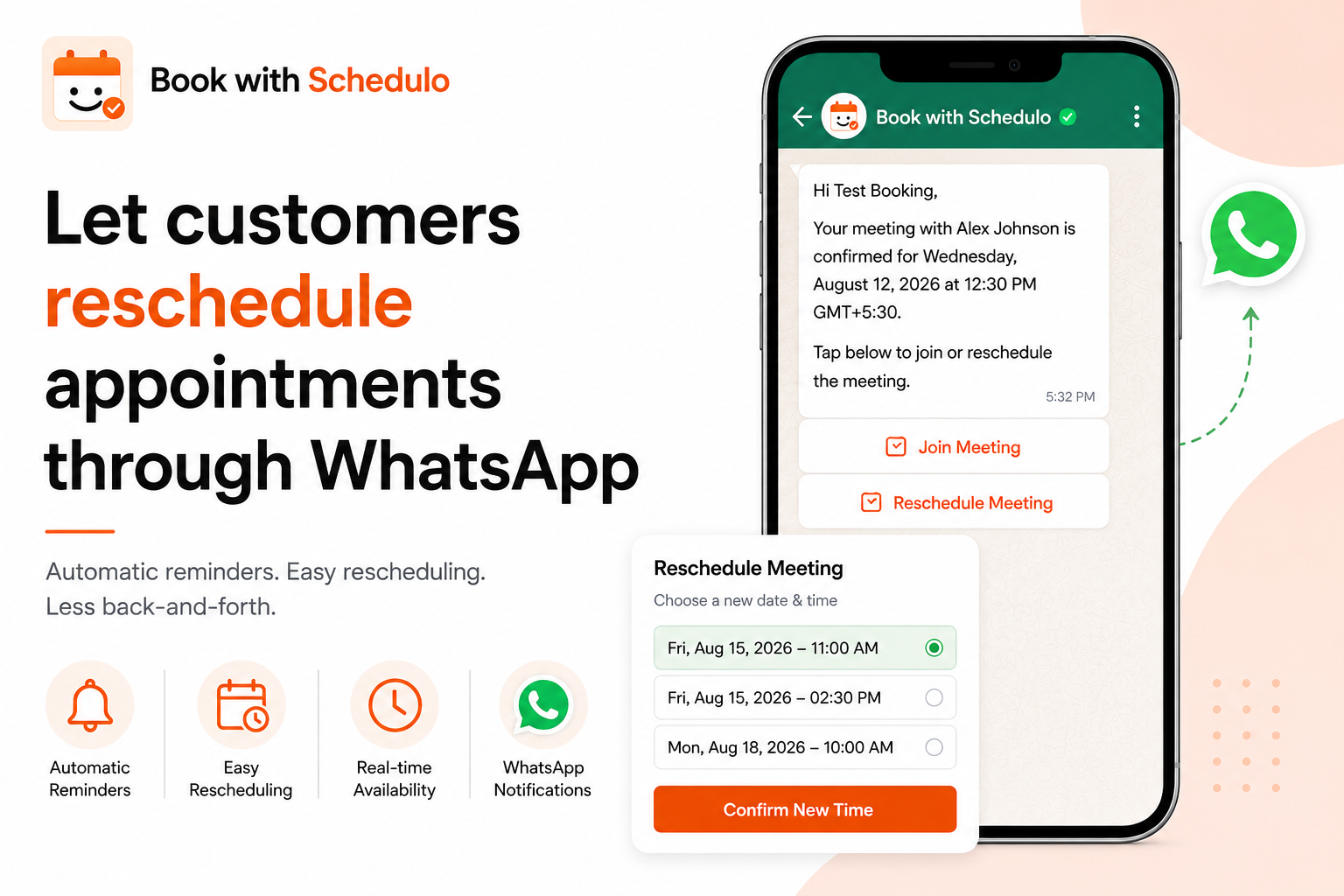
With Book With Schedulo, customers can receive an automatic WhatsApp reminder for their appointment. The message includes the relevant appointment information along with options such as Join Meeting and Reschedule Meeting.
The customer isn't booking the appointment through WhatsApp.
They have already made the booking through the online booking page. The WhatsApp message arrives later as a reminder and gives them a way to manage that existing appointment if their plans have changed.
That makes the role of WhatsApp fairly simple: it keeps the appointment visible to the customer and gives them an easy route to reschedule when necessary.
A reminder can do more than remind someone
This is where appointment reminders and rescheduling work well together.
Suppose someone booked a meeting two weeks ago. At the time, the date and time worked perfectly. By the time the appointment gets closer, their schedule may look very different.
The reminder brings the booking back to their attention.
If the original time still works, they can attend as planned.
If it doesn't, they have an opportunity to change it before the appointment rather than simply missing it.
That won't prevent every no-show, of course. Emergencies happen and plans change unexpectedly. But there is a useful difference between an appointment someone genuinely cannot attend and one they would have changed if it had been easier to do so.
What the customer receives
The experience doesn't need to involve a long message or a complicated set of instructions.
The customer receives the WhatsApp notification before the scheduled appointment. They can see who the meeting is with, along with the date and time, and the message provides the available actions.
For example, your reminder might say that the meeting is confirmed for Wednesday at 12:30 PM and provide buttons for joining or rescheduling.
If the customer is available, they can join when the time arrives.
If Wednesday no longer works, they can use the rescheduling option instead of opening a new WhatsApp conversation with the business.
That small difference can save quite a bit of unnecessary communication.
You still decide when customers can book
Automating rescheduling doesn't mean giving customers access to your entire calendar.
Your availability remains under your control.
You decide your working hours and the times at which customers can book. The scheduling system then works within those limits when someone makes or changes an appointment.
This is particularly useful for professionals who have a limited number of appointment slots each day. A consultant with four available hours tomorrow needs those hours to be used carefully. A freelancer may have project work between calls. A coach or tutor may have recurring sessions throughout the week.
When a customer moves an appointment, the system can work with the availability you've already created rather than asking you to negotiate a replacement time manually.
For businesses that want to manage this through a freelancer scheduling software workflow, that can remove a surprisingly large amount of small administrative work.
The old appointment can become available again
There is another practical reason to make rescheduling easy.
Imagine that a customer has booked Tuesday at 2 PM and later moves that appointment to Thursday at 11 AM.
Tuesday at 2 PM is now available.
If your scheduling system updates the calendar when the appointment is changed, another customer can potentially take that slot.
That is much better than leaving the old booking sitting on your calendar while you wait to manually update it.
For someone whose income depends on appointments, an empty slot can be more than an inconvenience. It can represent time that could otherwise have been used for another customer.
Why this matters when you're handling more bookings
Manual scheduling often works perfectly well in the beginning.
You might have a few clients and know exactly what is happening each day. If someone wants to move an appointment, you can sort it out in a message or two.
As the number of bookings grows, the same approach becomes harder to maintain.
There are more appointment confirmations to keep track of, more reminders to send and more customers who may need to change their original booking.
This is where appointment scheduling software becomes useful. Instead of treating every booking as a separate conversation, you can put the booking, availability and appointment management into one workflow.
Book With Schedulo provides an online appointment scheduling system where customers can book available times online, while businesses can manage their schedules and appointment notifications from one place.
Rescheduling doesn't need to become another customer-service task
There will always be customers who need to change an appointment.
The goal isn't to prevent that from happening.
The useful question is what happens when it does.
If every change means opening the calendar, checking available times, sending messages and waiting for a reply, the business ends up doing a lot of work simply to move one appointment.
If the customer can use the rescheduling option connected to their existing booking, much of that conversation disappears.
They find another suitable time.
The calendar reflects the change.
The original slot can become available again.
And you can get back to the work that actually requires your attention.
WhatsApp reminders are only one part of a better booking experience
A good booking system shouldn't stop working once the customer clicks "Book."
The appointment still has a life after that.
The customer may need a reminder. They may need to change the time. They may need to join the meeting. You may need the calendar to stay updated while all of this is happening.
That's why features such as automatic appointment reminders, online booking and appointment rescheduling work better when they are connected rather than handled separately.
With Book With Schedulo, the customer can book through your booking page and receive automatic reminders through WhatsApp and email. When the original appointment no longer works, the rescheduling option gives them another way forward.
You still control the schedule.
The customer gets more flexibility.
And there is less appointment-related back-and-forth for everyone.